 RR DICOM Viewer
The DICOM viewer for Mac and Windows, made by a radiologist
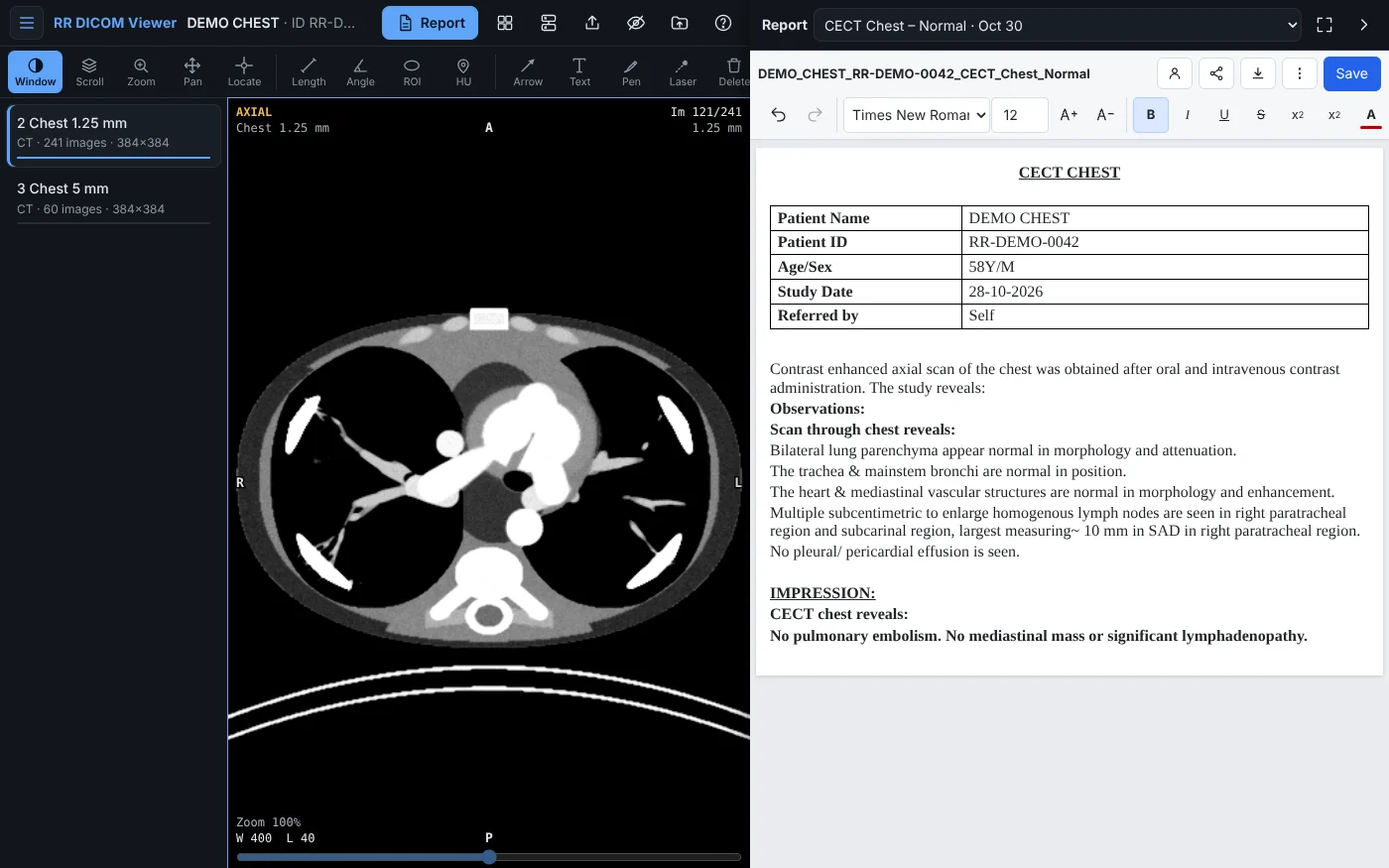
Open a CT or MRI from a CD, a folder, a zip or your PACS. Scroll, reformat, measure, make MIPs and 3D, then write the report next to the images and print it on your letterhead.
₹2,999 for life on 1 computer, pay once · after a free 7-day trial
- Free 7-day trial
- MPR, MIP and 3D
- PACS: C-MOVE, C-GET, DICOMweb
- Report editor
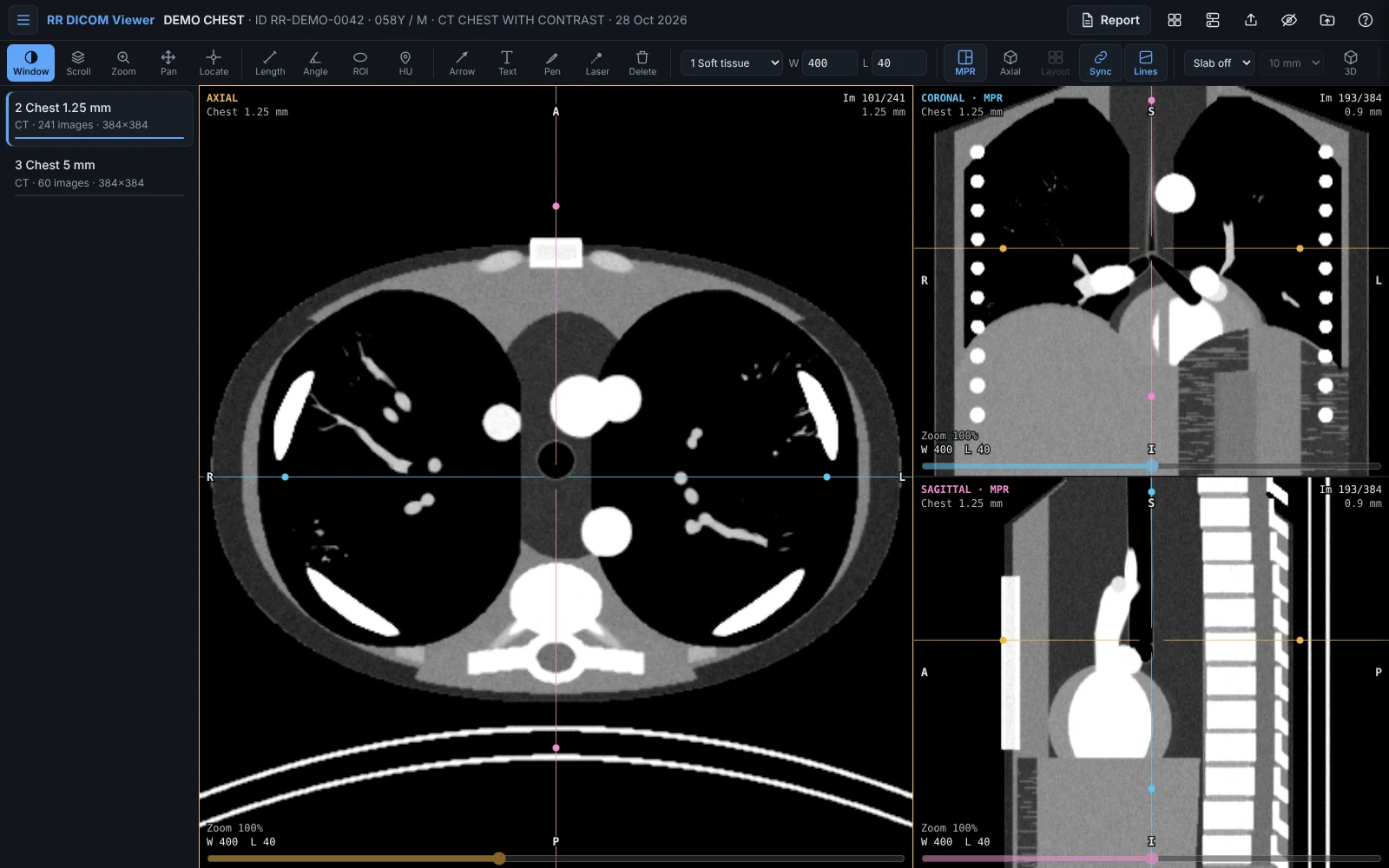
Everything you need to read a scan
The viewer and report editor radiologists use on radiologyresources.in, as a fast app for Mac and Windows that works offline.
MPR in every direction
Axial, coronal and sagittal side by side with reference lines, oblique planes, Locate and synced scrolling across series.
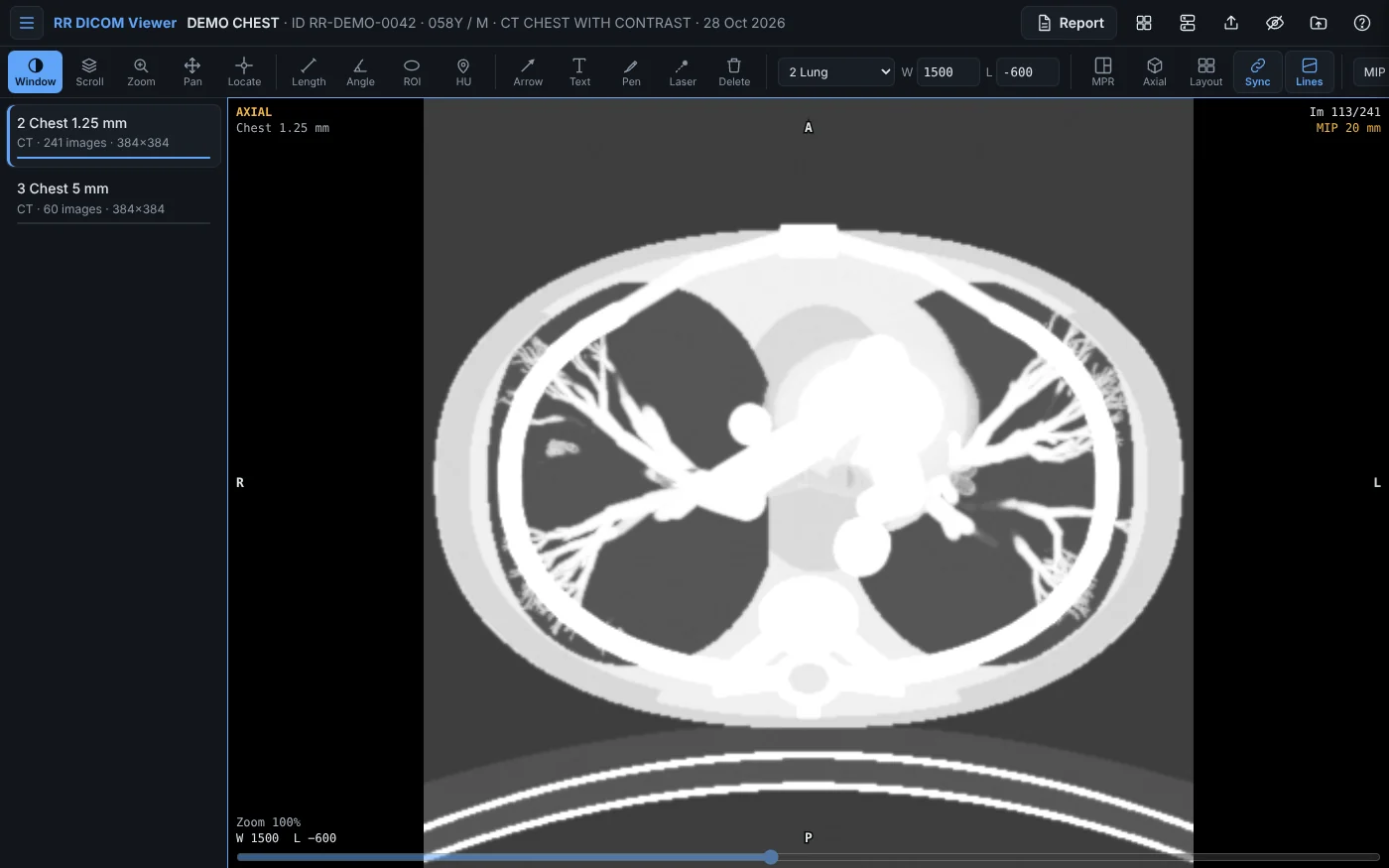
MIP, MinIP and average slabs
Thick slabs from 3 to 80 mm on any plane: MIP for vessels and nodules, MinIP for airways. Press X to cycle.
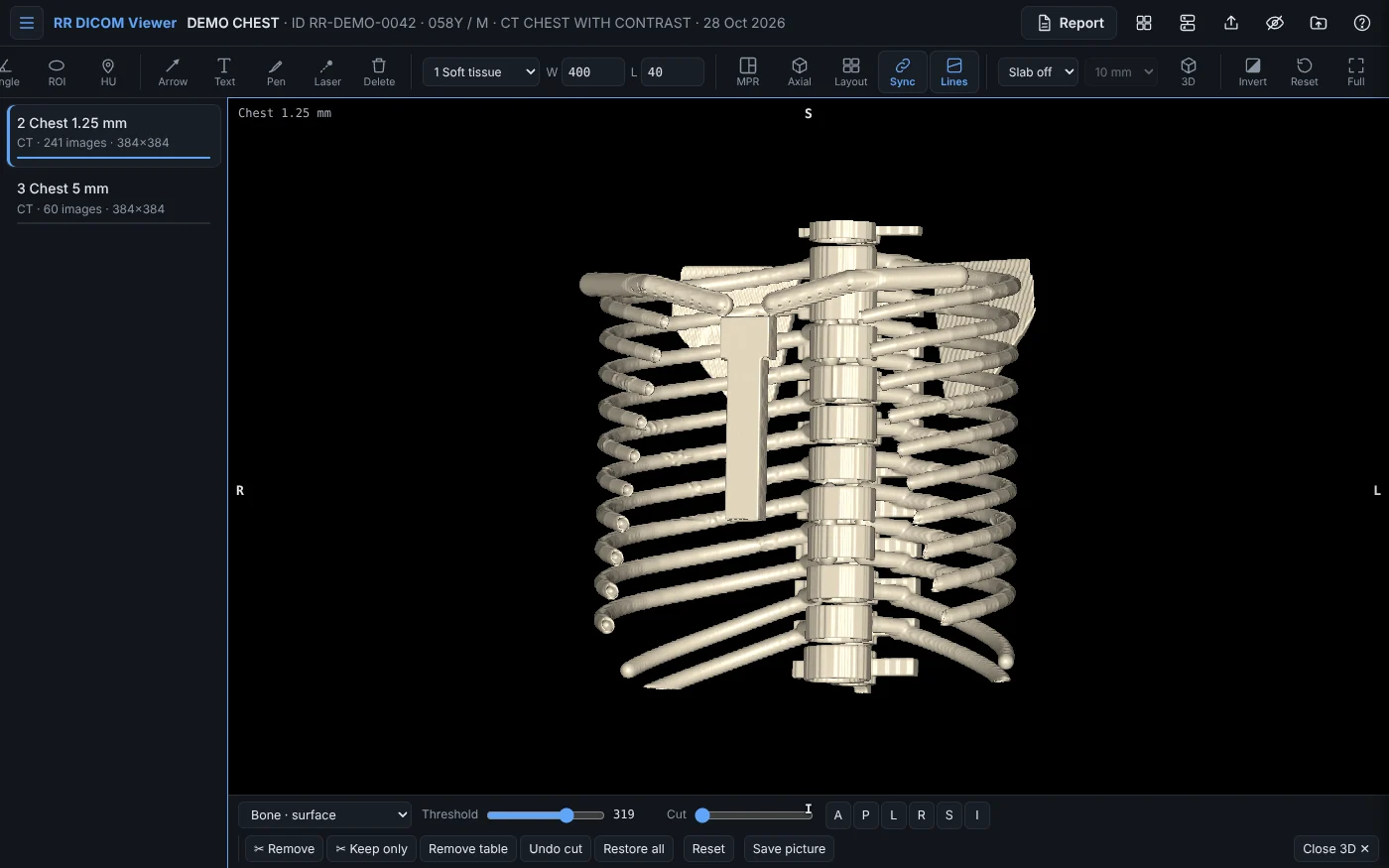
3D with a cutter
Bone and skin surfaces, volume rendering, 3D MIP for angiography. Draw around the CT table or a rib to cut it away; one click removes the table.
Spine in one scroll
Axials acquired as angled blocks, one per disc, become one series that scrolls through every level, with the right angle on the sagittal.
Connect to your PACS
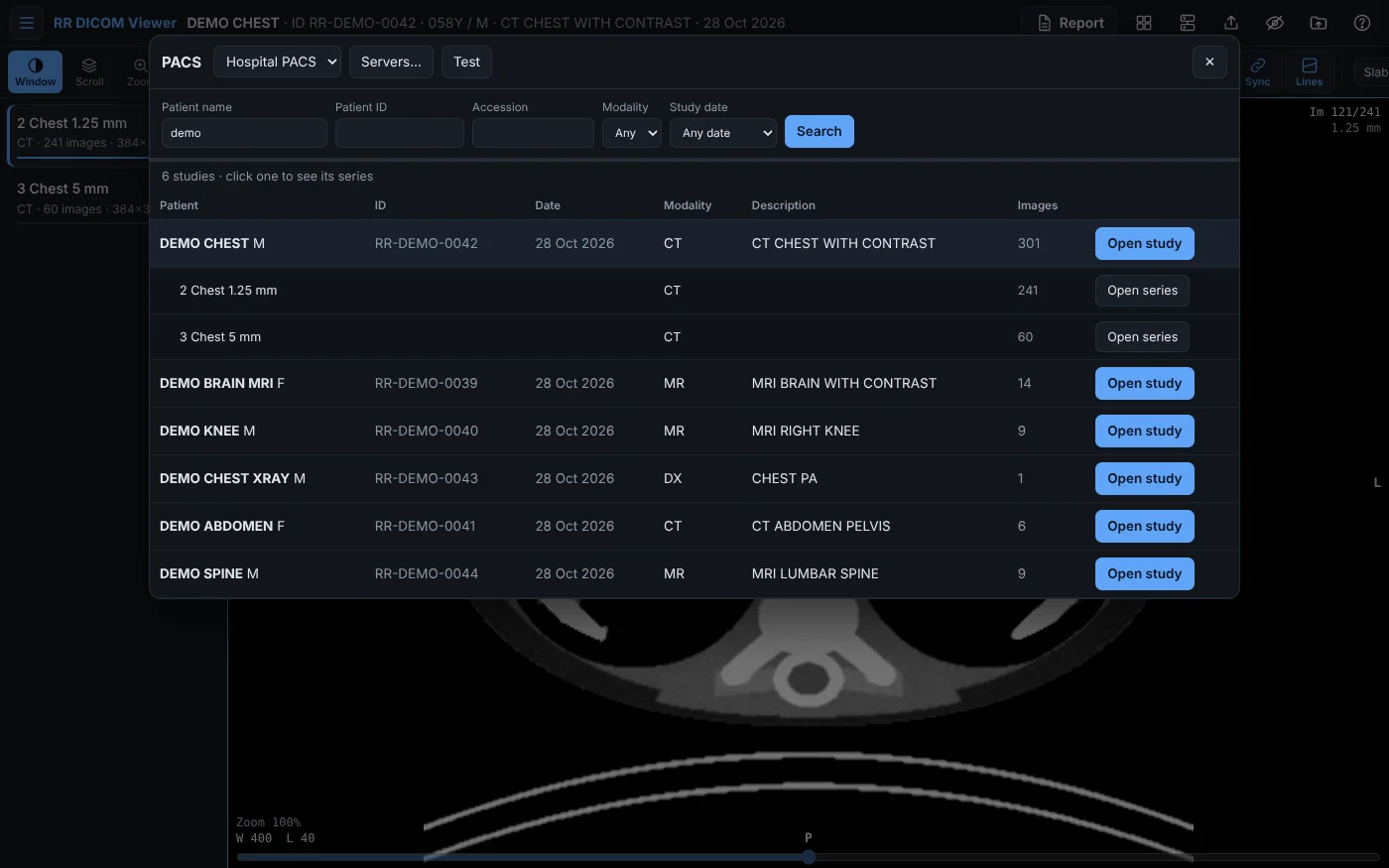
Search by name, ID, accession, modality and date; open a whole study or one series. DICOM C-FIND with C-GET or C-MOVE, or DICOMweb.
Report beside the images
Templates, a Word-like editor where text size and undo work properly, export to Word, and printing on your letterhead margins.
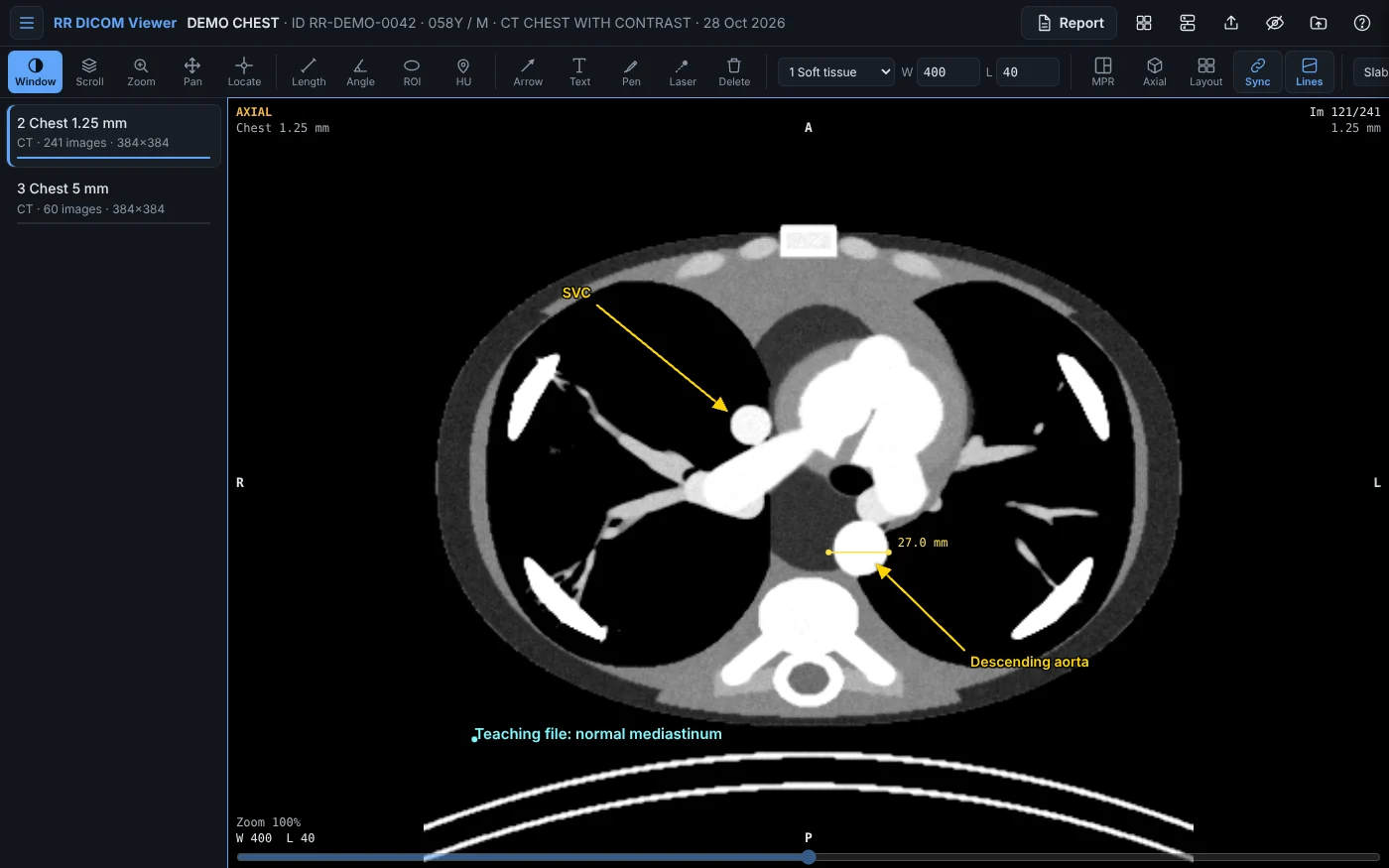
Measure, annotate, teach
Length, angle, HU and ellipse ROI; arrows with labels, text and pen; a laser pointer for teaching and screen sharing.
Anonymised export
One image, a range, a series or the whole case, as anonymised DICOM (new UIDs, names and dates removed) or as PNG / JPEG pictures.
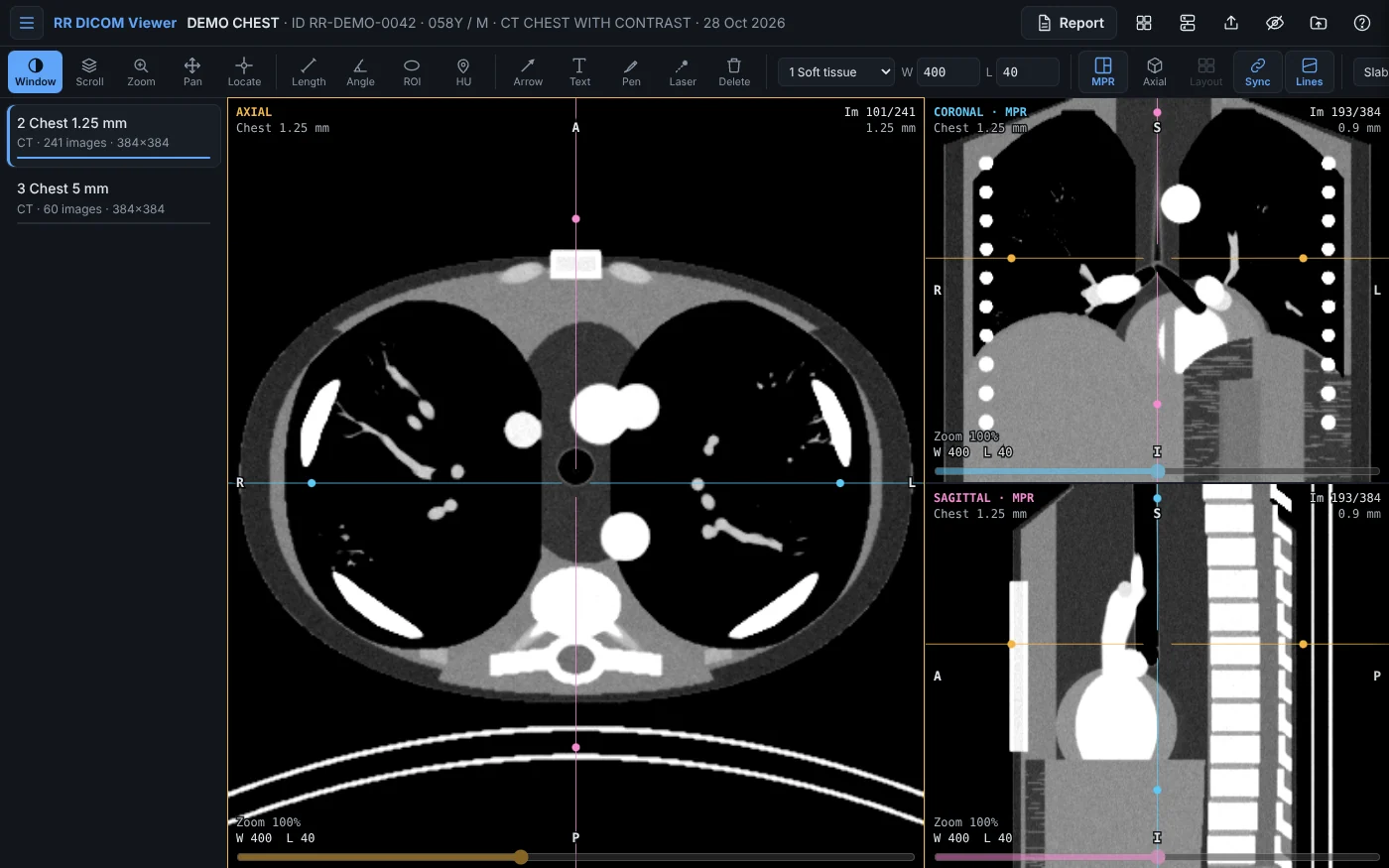
Screenshots
A native Mac app: real menus, windows, Open With from Finder, and the shortcuts you expect.
How RR DICOM Viewer compares
OsiriX MD, Horos and RadiAnt are all good apps. Here is where RR DICOM Viewer is different.
| Feature | RR DICOM Viewer | OsiriX MD | Horos | RadiAnt |
|---|---|---|---|---|
| Runs as a native Mac app | Apple silicon and Intel | Yes | Yes | Windows app; on a Mac only through CrossOver or Wine |
| MPR, thick-slab MIP / MinIP and 3D | MPR, MIP / MinIP / average slabs, 3D surface, volume rendering and 3D MIP | Yes | Yes | Yes, on Windows |
| Search and open studies from a PACS | C-FIND with C-GET or C-MOVE, and DICOMweb | C-GET, C-MOVE and WADO | Yes | Yes, on Windows |
| Radiology report editor built in | Templates, Word export, printing on your letterhead | Reports as Word or Pages documents | Reports as Word or Pages documents | Viewer only |
| Price | ₹2,999 one-time purchase, 1 computer | Subscription: about US$70 a month or US$419 a year per user | Free (open source) | Windows licence, plus CrossOver to run it on a Mac |
Based on publicly available information as of October 2026; features and prices of other apps can change. OsiriX MD, Horos and RadiAnt are trademarks of their respective owners. RR DICOM Viewer is not affiliated with Pixmeo, the Horos Project or Medixant.
Pricing
RR DICOM Viewer for Mac and Windows
₹2,999
One-time purchase · buy in the app after the trial; it activates itself
- Free 7-day trial, no card needed
- Licence for 1 computer, pay once
- MPR, MIP / MinIP and 3D with the cutter
- PACS: C-FIND, C-GET, C-MOVE and DICOMweb
- Report editor, templates and Word export
- Anonymised export, annotations, laser pointer
Questions and answers
How does the free trial work?
Download the app for Mac or Windows and use everything for 7 days from the first time you open it, no card and no sign-up. After that it asks you to buy.
How do I buy and activate it?
In the app choose Buy a Licence (on the Mac in the RR DICOM Viewer menu, on Windows in Help), or Buy when the trial ends. Your browser opens this website with your computer filled in; pay with UPI, card or netbanking through Razorpay in India, or PayPal elsewhere, and the app activates itself within seconds. There is no key to type, and it works offline afterwards.
How many computers can I use it on?
A licence is for life on the one computer you bought it on, Mac or Windows; buy one for each computer. If you replace your computer, write to us with the device code shown in About and we move your licence.
Are my scans uploaded anywhere?
No. Scans are read on your computer and reports are kept in the app. The only thing the app sends to this website is a code for your computer, to check the licence and the trial.
Which PACS does it work with?
Any PACS that allows DICOM query/retrieve (C-FIND with C-GET or C-MOVE), such as most hospital PACS, Orthanc, dcm4chee and Conquest, and any PACS with DICOMweb. You add the PACS address, port and AE titles once.
Which files can it open?
DICOM files (.dcm or without extension), folders such as a patient CD or DVD, and .zip files of a case, including compressed images (JPEG, JPEG-LS, JPEG 2000 and HTJ2K).
Is it a certified medical device?
No. RR DICOM Viewer is for reviewing scans, teaching, second opinions and writing reports. Confirm findings for primary diagnosis on a certified diagnostic workstation.
Which computers does it run on?
Macs with macOS 12 Monterey or later, on Apple silicon and Intel, and Windows 10 or 11 PCs. 3D needs a computer from about 2015 or later.
Try it on your own scans, free for 7 days
RR DICOM Viewer for Mac and Windows.